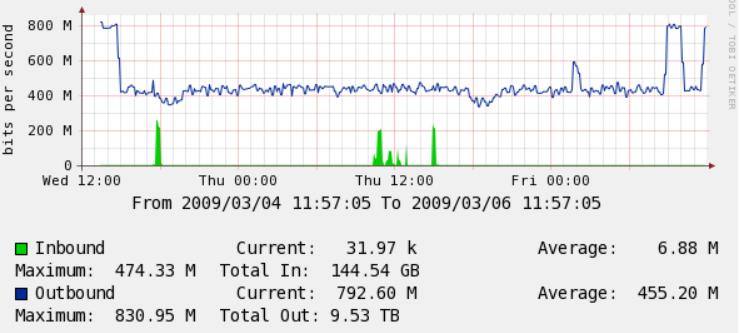
Here is a sample 877 config for ISP Internode in Australia which I use. It may work with other providers as well, the only items you need to modify is the hostname, password sections, timezone, and possible your IP addressing/subnets etc
version 12.4
no service pad
service tcp-keepalives-in
service tcp-keepalives-out
service timestamps debug datetime msec show-timezone
service timestamps log uptime
service password-encryption
service internal
!
hostname cisco877
!
boot-start-marker
boot-end-marker
!
logging message-counter syslog
logging buffered 16000
logging console critical
enable secret yourpasswordhere
!
!setup timezone below default set to South Australia
no aaa new-model
clock timezone ACST 9 30
clock summer-time ACST recurring last Sun Oct 2:00 1 Sun Apr 3:00
!
!
dot11 syslog
no ip source-route
!
!
ip cef
no ip bootp server
ip name-server 192.231.203.132
ip name-server 192.231.203.3
!
!
!
!
!sets up a username of root with a password
username root privilege 15 password yourrouterpasswordhere
!
!
!
archive
log config
hidekeys
!
!
interface ATM0
description — Internode ADSL —
no ip address
no atm ilmi-keepalive
pvc 8/35
tx-ring-limit 3
encapsulation aal5snap
protocol ppp dialer
dialer pool-member 1
!
dsl operating-mode auto
dsl bitswap both
!
interface FastEthernet0
no shut
!
interface FastEthernet1
no shut
!
interface FastEthernet2
no shut
!
interface FastEthernet3
no shut
!
interface Vlan1
ip address 192.168.1.1 255.255.255.0
ip nat inside
ip virtual-reassembly
ip tcp adjust-mss 1420
hold-queue 100 out
!
interface Dialer1
description connection to ISP PPPoE 8/35 MUX
ip address negotiated
ip access-group 101 in
no ip unreachables
ip mtu 1492
ip nat outside
ip virtual-reassembly max-reassemblies 64
encapsulation ppp
dialer pool 1
dialer idle-timeout 0
dialer-group 1
no cdp enable
ppp chap hostname [email protected]
ppp chap password (yourpassword)
!
interface Dialer0
no ip address
!
ip forward-protocol nd
ip route 0.0.0.0 0.0.0.0 Dialer1
no ip http server
no ip http secure-server
!
ip dns server
ip nat inside source list 102 interface Dialer1 overload
!
access-list 1 remark Permit our private network through the list
access-list 1 permit 192.168.1.0 0.0.0.255
access-list 1 remark Just deny everything else
access-list 1 deny any
access-list 101 deny icmp any any echo
access-list 101 permit ip any any
access-list 102 permit ip 192.168.1.0 0.0.0.255 any
dialer-list 1 protocol ip permit
!allow snmp below if required
snmp-server community public RO 1
!
!
!
!
control-plane
!
!
line con 0
password yourconsolepasshere
login
no modem enable
transport preferred none
stopbits 1
line aux 0
line vty 0 4
session-timeout 240
access-class 102 in
password yourtelnetpasswordhere
login
transport preferred none
!
scheduler max-task-time 5000
sntp server 129.127.40.3
end