Press "Enter" to skip to content

//> A L C A T R O N . N E T //> Posts

MB X7 Control for macOS — Apple Silicon

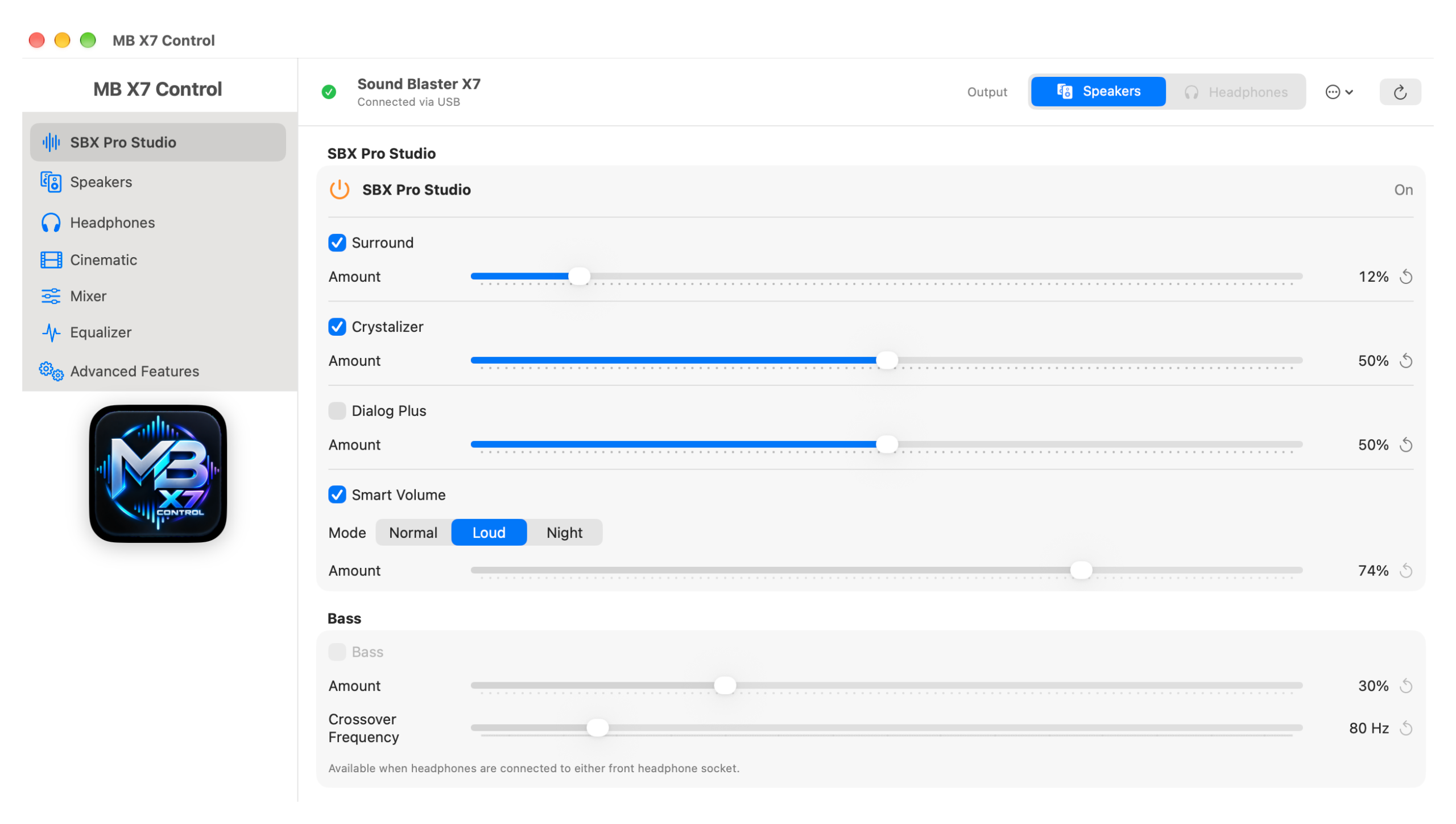
I’ve released MB X7 Control, a native macOS controller for the Creative Sound Blaster X7, designed for Apple silicon Macs.

The X7 is still excellent hardware, but the original Creative macOS software is now quite old. MB X7 Control provides a modern native alternative and does not require Creative’s legacy Control Panel or private frameworks.

It supports the major X7 functions, including SBX Pro Studio, speaker and headphone configuration, E-MU XM7 settings, speaker calibration, Cinematic controls, the Playback Mixer, Equalizer, Scout Mode and other advanced features.

The application is free and source-available. Version 1.0 is currently distributed as source code and can be built locally using Xcode on an Apple silicon Mac; a paid Apple Developer membership is not required.

If you’re still using a Sound Blaster X7 with an Apple silicon Mac, feel free to try it and report any issues or compatibility results.

Project:
github.com/alcatron/mb-x7-control

MB X7 Control is independently developed for hardware interoperability and is not affiliated with or endorsed by Creative Technology Ltd.

Leave a Comment

Cisco ISR 1113 Router

I have been testing the new Cisco ISR 1113 Router from Cisco, and done a bit of a video overview. Perfect for offices and it can handle your 1Gig WAN Ethernet/SFP/VDSL/GFAST link, LTE, or even BGP,MPLS, etc and has various licensing on offer. It is also SD-WAN Ready.

Leave a Comment

NBN FTTP vs FTTB

The Australian National Broadband network, is being rolled out full steam ahead, here are some of the differences between FTTB vs FTTP rollout to a building.
FTTB is Fibre to the Basement, and FTTP is Fibre to the Premises, these two terms sound very similar, but are quite different in the way they operate, and may be confusing for you.

To summarize this, here it what it exactly means:

FTTB
Physical – Powered DSLAM device that sits in the basement of the building. This DSLAM works off VDSL2 to the end user.
Speed Residential – It has a maximum speed of UP TO TC4 100/40  – Depending on the copper length from DSLAM to end user as signal will attenuate on longer distance and provide less speed
Speed Business Grade – It has an estimated Traffic Class 2 – TC2 20/20 (Synchronous)

FTTP

Physical – Fibre direct to your premise with a Network Termination Device (NTD) that you connect up to 4 data connections and 2 analogue telephone ports. You can order battery backup on the NTD as well

Redundancy and Flexibility – 4 data ports – meaning up to 4 services from up to 4 carriers can be connected – this can allow for carrier redundancy and also if you wanted to separate your networks on each port using one for each – eg. corporate data/guest wifi/3rd party businesses on each port.

Speed – It has a maximum Speed of TC2 100/100 – Business Grade Service – with high download and upload speeds for corporate application data/video conference/VOIP with guaranteed performance parameters around jitter and lag that many enterprise applications require to run efficiently and without delays, time outs and buffering.

Speed –  It also has a range of residential grade (Traffic Class 4 – TC4) speed tiers you can order up to a maximum of TC4 1000/400.

 Main benefits of FTTP over FTTB are:

  • Significantly faster speeds – Enterprise Class speeds of TC2 100/100 which ensures guaranteed performance for critical systems
  • Smoother connection experience with a fibre connection compared to copper based FTTB
  • Battery Backup on the nbn edge device is available in the event of a power outage

At the moment NBN is delivering FTTB in most places in large apartment buildings, hospitals, etc , but the business can choose for a FTTP delivery instead if they wish to, however this will come with an extra cost which NBN can provide a quote for.

Leave a Comment